
Blackjack Game Mechanics and Live-Dealer Experience
Blackjack on naga 33 is played against a live dealer. You place a bet, receive two cards, and decide whether to hit (take another card), stand (keep your current hand), double down (double your bet and take one more card), or split (if you have two cards of the same value, split them into two separate hands). The dealer follows fixed rules — they must hit on 16 or less and stand on 17 or more. If your hand is closer to 21 than the dealer's without going over, you win. If you go over 21, you lose immediately.
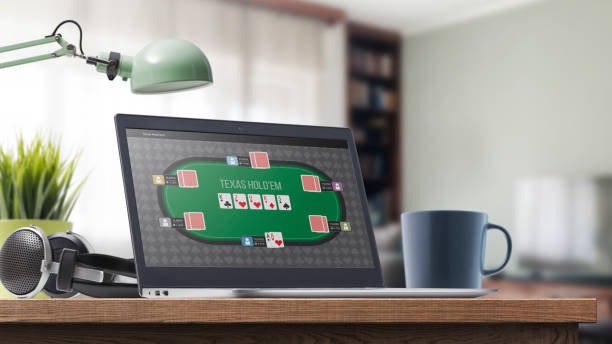
On your phone, the Blackjack interface displays the live video feed of the dealer at the top, your cards in the middle, and betting controls at the bottom. You tap buttons to make your decisions. The dealer's actions are streamed live, so you see every card dealt in real time. The game moves at a natural pace — the dealer waits for your decision before proceeding.
We run multiple Blackjack tables simultaneously, each with different betting limits. You can choose a table that matches your budget. Once you join a table, you stay on that table for multiple rounds unless you choose to leave. Your balance updates instantly after each hand. If your connection drops mid-hand, the game pauses and waits for you to reconnect. You can resume where you left off.
Android Installation via APK Download
To play Blackjack on Android, you download the naga 33 APK file directly from our website. Here's the step-by-step process:
- Open your Android phone's browser and go to naga33.bet.
- Tap the "Download Android App" button. Your phone may warn you that you're installing an app from an unknown source. This is normal — we don't list the app on Google Play because of regional restrictions.
- Go to Settings → Security → Unknown Sources and enable it (this setting varies by Android version, but the option is always in Security settings).
- Return to your browser and tap the download link again. The APK file downloads to your Downloads folder.
- Open your Downloads folder, find the naga 33 APK file, and tap it to install.
- Once installed, the app appears on your home screen. Tap the naga 33 icon to open it.
- Log in with your username and password. If you don't have an account, tap "Register" and fill in your email, phone number, and a secure password.
The entire process takes subject to verification on a standard 4G connection. Once you're logged in, the app caches your session, so you won't need to log in again unless you clear the app's data or manually log out.
iOS Access via Safari Browser
iPhone and iPad users access Blackjack through Safari. We don't have an iOS app on the App Store, so we direct you to our mobile website instead. Open Safari, navigate to naga33.bet, and log in with your account credentials. The Blackjack game loads in your browser and runs identically to the Android version.
We recommend adding naga33.bet to your home screen for faster access. In Safari, tap the Share button, select "Add to Home Screen," and give it a name like "naga 33". iOS creates a shortcut that opens the site in full-screen mode, mimicking a native app. Your login session persists across visits, and you can access Blackjack anytime without re-entering your password.
Account Registration and KYC Verification
Before you can deposit money and play Blackjack, you need to create an account and verify your identity. Registration is quick. On the naga 33 login screen, tap "Register" and provide:
- Your email address
- Your phone number (used for SMS verification and account recovery)
- A secure password (at least 8 characters, mix of letters and numbers)
After registration, we send you a verification code via SMS or email. Enter the code in the app, and your account is active. You can now deposit money, but before your first withdrawal, we conduct KYC (Know Your Customer) verification. This involves uploading a photo of your ID and a selfie holding your ID next to your face. We review these documents within 24 hours. Once verified, you can withdraw your Blackjack winnings anytime.
Verification typically completes within 4 to 8 hours on weekdays. If you upload your ID on a weekend, expect verification by Monday morning.
Deposits via DANA, e-wallet, mobile banking, and Bank Transfer
We support eight payment methods on naga 33. Each method is instant or near-instant. Here's how deposits work on your phone:
Open the naga 33 app, go to "Wallet" or "Deposit," and you'll see all eight payment options. Tap the one you want. For local payment, online payment, e-wallet, or mobile banking, the app opens your e-wallet app automatically. You confirm the amount and PIN in your e-wallet, and the money arrives in your naga 33 account within seconds. For bank transfer, we generate a unique virtual account number (local payment, online payment, e-wallet, or mobile banking). You transfer money from your bank app to that number, and our system credits your account as soon as the bank confirms the transfer — usually within subject to verification on weekdays.
local payment and online payment work similarly. e-wallet opens your mobile banking app; local payment shows a QR code that you scan with any banking app that supports online payment. All deposits are instant or near-instant. We do not charge a deposit fee, but your bank or e-wallet provider may apply their own fees — check their terms before you transfer.
- e-wallet
- subject to verification via your mobile banking wallet. Minimum deposit is low, and the transfer is fee-free on naga 33's side.
- local payment
- Instant transfer from online payment balance or linked bank account. Popular in Jakarta and Surabaya.
- e-wallet
- subject to verification via mobile banking balance. Often bundled with Gojek or local payment rewards.
- online payment
- Instant transfer from e-wallet balance. Shopee users often have credit already loaded.
- mobile banking
- subject to verification via local payment wallet. Supported by most Indonesian banks.
- online payment
- Scan a QR code with any banking app. Works with all major Indonesian banks.
- Bank Transfer (e-wallet, mobile banking, local payment, online payment)
- Transfer to a virtual account. Arrives within subject to verification on weekdays; may take longer on weekends.
Withdrawals and Withdrawal Review Windows
Blackjack winnings are credited to your account balance instantly as hands are resolved. To cash out, go to "Wallet" → "Withdraw" in the app. You'll see your current balance and a list of withdrawal methods. Select the method you used to deposit (or choose a different one if you prefer). Enter the amount and confirm.
Our system then reviews your withdrawal request. This review window typically lasts 24 to 48 hours. During this time, we check that your account is in good standing, your identity is verified, and the withdrawal amount does not exceed your balance. We also cross-check your withdrawal method against your deposit history to prevent fraud.
Once approved, the money is sent to your e-wallet or bank account. E-wallet withdrawals (e-wallet, mobile banking, local payment, online payment, e-wallet) arrive within 1 to 2 hours. Bank transfers arrive within 1 to 3 business days, depending on the receiving bank. You'll receive an SMS notification when your withdrawal is approved and again when it's sent.
Data Usage and Connection Requirements for Live Blackjack
Blackjack streams live video from our dealer studios, so data usage is higher than other games. On a standard 4G connection, one hour of Blackjack play consumes roughly 300 to 500 MB. On WiFi, the app may use slightly less because the connection is more stable. If you're on a limited mobile plan, play Blackjack on WiFi to avoid data overages.
We recommend a connection speed of at least 2 Mbps for smooth video streaming. On slower connections, video may buffer or lag. If your connection drops mid-hand, the game pauses and waits for you to reconnect. You can resume where you left off without losing your bet.
We also track your app usage to optimize performance. When you play Blackjack, the app logs your bets, the hands you play, and the outcomes. This data stays on our servers and is used only to settle your account and detect fraud. We do not sell your gameplay data to third parties, and we do not use it for marketing purposes.
Blackjack Strategy and Basic Rules
Blackjack is a game of skill and chance. The goal is to beat the dealer by getting a hand value closer to 21 without going over. Card values are: numbered cards (2-10) are worth their face value, face cards (Jack, Queen, King) are worth 10, and Aces are worth either 1 or 11 (whichever is better for your hand).
Basic strategy involves knowing when to hit, stand, double down, or split based on your hand and the dealer's visible card. For example, if you have 16 and the dealer shows 7, you should hit because the dealer is likely to make a strong hand. If you have 12 and the dealer shows 2, you should stand because hitting risks going over 21. Learning basic strategy improves your odds significantly.
Blackjack pays 3:2 if you get 21 with your first two cards (a "natural" or "blackjack"). Regular wins pay 1:1. If you tie with the dealer, it's a "push" and your bet is returned. Insurance is available if the dealer shows an Ace — you can bet half your original bet that the dealer has blackjack.
Push Notifications and Account Alerts
The naga 33 app sends push notifications for important events — when your withdrawal is approved, when your account needs attention (e.g., verification is pending), or when special Blackjack tournaments start. You control which notifications you receive. Open "Settings" → "Notifications" in the app and toggle each category on or off.
We also send SMS notifications for account security events like login from a new device or password change. These SMS alerts are mandatory for account protection and cannot be disabled. If you receive an SMS you didn't authorize, contact our support team immediately.
Session Management and Password Reset
The naga 33 app keeps you logged in for up to 30 days. If you close the app and reopen it, you'll return to your account without re-entering your password. If you want to log out manually, go to "Settings" → "Account" → "Log Out." This clears your session from the app and from our servers.
If you forget your password, tap "Forgot Password?" on the login screen. Enter your email or phone number, and we'll send you a reset link via email or SMS. Click the link, create a new password, and log back in. The reset link expires after 24 hours for security.
If you suspect your account has been compromised, change your password immediately and contact our support team. We're available in English via in-app chat, email, or phone. We can also temporarily freeze your account while we investigate.
Blackjack on Mobile
- Live dealers — real people streaming from multi-camera studios
- subject to verification — winnings credited to your account in real time
- Responsive touch controls — tap to hit, stand, double, or split
- Session persistence — stay logged in for 30 days
Considerations
- Higher data usage — requires stable 4G or WiFi connection
- Withdrawals take 24–48 hours to review
- KYC verification required before first withdrawal